Kakobuy QC Images vs Google Sheets for Running Shorts
Kakobuy QC Images vs Google Sheets for Running Shorts
First Clarify What Problems QC Images for Running Shorts Should Solve
Before ordering running shorts, the real issue isn't "how many images there are," but whether you can confirm that a candidate is worth paying for: whether the style, color, size, and quantity are correct; whether the waistband and lining match expectations; whether the pockets and hems have obvious anomalies; and whether you can keep a clear record after spotting issues.
This guide is for people who are sorting through multiple running shorts candidates, need a centralized way to view Kakobuy product pages and QC images, and want to record each item in Google Sheets. After reading, you should be able to do three things: build a candidate list, record image evidence for each item, and decide whether to request additional photos, return or exchange, keep, or drop a candidate based on the anomaly level.
It's not meant to assess fabric feel, actual wearing comfort, durability, or real running performance. QC images mainly help buyers verify visible information and cannot replace physical touch and long-term use testing. 👟
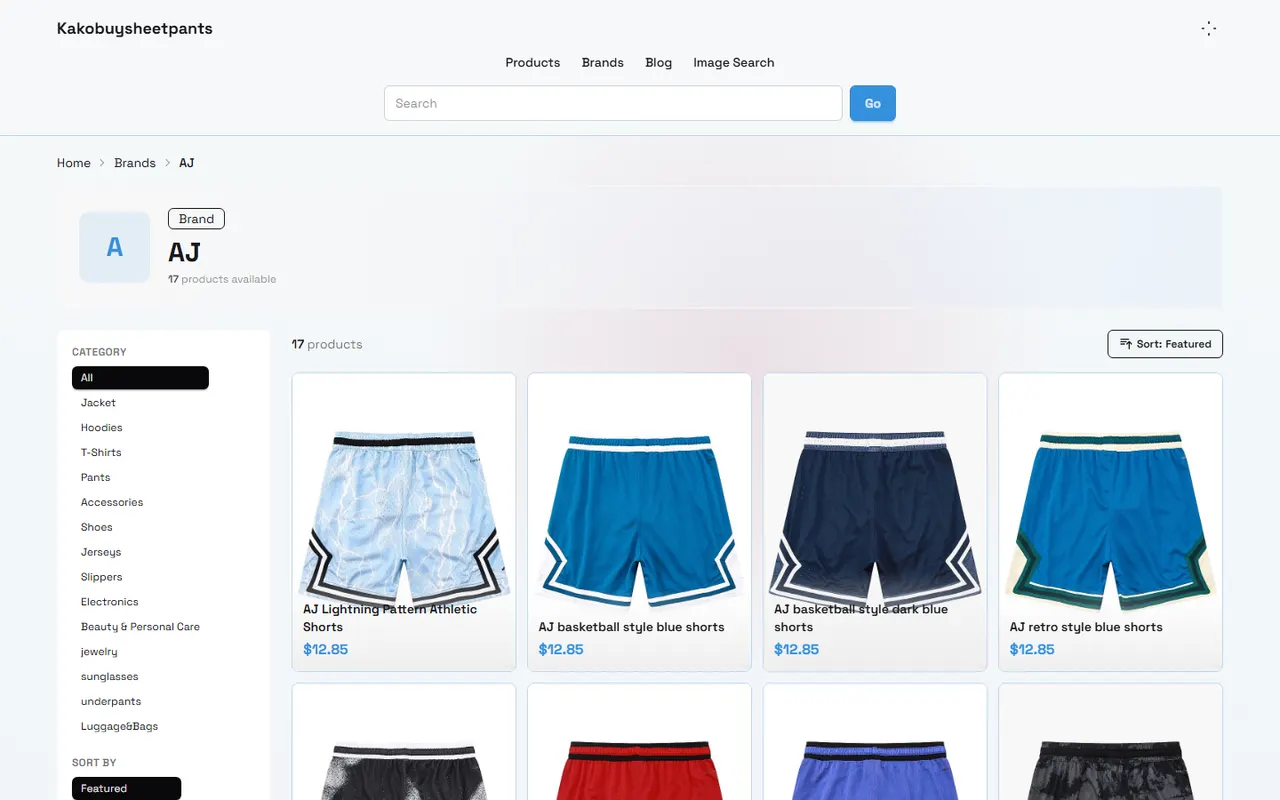
How Kakobuy Website-Style Spreadsheet Centralizes Product and QC Image Viewing
When organizing running shorts on kakobuysheetpants.com, the value of a website-style spreadsheet is putting candidate items in a similar reading environment. Buyers can first browse product names, styles, or size information row by row, then open the corresponding product pages and QC images, instead of constantly switching between multiple chat windows, download folders, and browser tabs.
But "centralized display" doesn't mean "verification is complete." Each row still needs to be checked individually for the following:
Is the product name clear, and does it actually refer to running shorts, not casual shorts, compression shorts, or a similar category?
Do the color, size, and quantity match your order requirements?
Can the QC images clearly show the waistband, lining, pockets, and hems?
Do the images correspond to the current product, not another style, color, or order?
Is the page information sufficient to support the next decision?
Kakobuy provides purchasing, warehousing, quality inspection, and international shipping services. Its inspection scope mainly covers appearance information such as style, quantity, color, size, and model, and it also screens for prohibited items. This scope helps with order verification for running shorts, but it doesn't mean the platform will judge support, breathability, chafing during running, or long-term durability for you.
If a candidate product page has incomplete information, mark it as "evidence needed" first; don't fill in the blanks with images or descriptions from adjacent products. Especially for size and color, similar names don't prove they're identical. 🔎
How to Record Image Links and Anomalies by Row and Column in Google Sheets
Google Sheets is better for creating a searchable, filterable, and trackable review record. It's recommended to have one row per candidate product, with columns organized around "evidence, anomaly, decision," and avoid putting multiple products in the same cell.
Record Column | Suggested Content | Purpose for Judgment |
|---|---|---|
Candidate ID | e.g., RS-001 | Easy matching between website, order, and screenshots |
Product Name | Full name as shown on the page | Prevent confusion between different styles |
Color and Size | Fill in from page or order info | Check against order requirements |
QC Image Location | Original image URL or page location | Convenient for reviewing evidence |
Waistband | Normal, suspected distortion, cannot confirm | Check structure and workmanship appearance |
Lining | Visible, missing, cannot confirm | Determine if additional photos are needed |
Pockets | Quantity, position, anomalies | Verify functional structure |
Hems | Left and right asymmetry or obvious issues | Check edges and stitching appearance |
Anomaly Level | Low, medium, high | Standardize handling |
Final Decision | Keep, request photos, return/exchange, drop | Form actionable result |
Don't just save a vague "viewed" note for image addresses. If the platform page may update, also record the viewing date and the product ID corresponding to the images. That way, even if the images become inaccessible later, you'll know what you based your judgment on.
When recording, distinguish between "problems seen" and "problems without photographic evidence." For example, "obvious wrinkles on left side of waistband" is a visible anomaly; "didn't see lining" is not the same as "no lining." A more accurate record is "lining not confirmed in current images." This distinction prevents mistaking missing evidence for a product defect.
What to Look for When Comparing Waistband, Lining, Pockets, and Hems
Waistband
First check whether the waistband is flat, whether the left and right widths are roughly consistent, and whether the drawstring, elastic band, and stitching show obvious misalignment. When QC image angles are limited, don't judge waistband elasticity or wearing pressure based on a single angled shot.
If the waistband looks slightly wrinkled, first determine whether it's a temporary crease from packaging or an actual structural unevenness. For cases that can't be confirmed, request a corrected angle or additional photos rather than directly labeling it a quality issue.
Lining
Common checks for running shorts include whether there is a lining, whether it covers the expected area, whether the edges have obvious loose threads, and whether the inner and outer layers are misaligned. Images can only support appearance judgment; they cannot prove that the lining won't ride up or chafe during running.
If the lining is a feature you particularly care about and the current images are unclear, list it as a high-priority photo request. Paying without evidence may lead to higher time and shipping risks for returns later.
Pockets
Confirm that the pocket quantity, position, and opening direction match the product description. Note that flat-lay images may hide side pockets, and back images may not show hidden zippers or inner pockets. Don't conclude there are no pockets just because you don't see them from the front.
For buyers who need to carry a phone, keys, or cards, QC images can only confirm that the structure exists; they can't prove that pockets are stable enough during running. Capacity and anti-slip performance should be assessed carefully using size information and personal needs.
Hems
Observe whether the left and right hems have obvious length differences, loose binding, concentrated loose threads, or crooked stitching. Record minor loose threads and obvious tears separately; don't lump all small flaws into the same level.
If only one hem is visible in the images and the other is completely blocked, record it as "other side not confirmed." That's more reliable than writing "left and right symmetrical" and makes it easier to request specific additional photos from the warehouse later.
Evidence Boundaries Between Website Preview and Table Links
Website preview is good for quickly viewing context; Google Sheets is good for cross-comparison and follow-up tracking. They shouldn't replace each other: the website page preserves product context, and the spreadsheet preserves the buyer's decision process.
Evidence can be divided into three levels:
Confirmed: Image is clear, and the relevant part or order info is directly visible
Partially confirmed: There is an image, but angle, clarity, or obstruction makes judgment incomplete
Not confirmed: The page doesn't provide enough evidence, so no positive judgment can be made
Don't treat external links themselves as proof of authenticity. A link opening only means it's currently accessible; it can't prove that the image hasn't been replaced or that it corresponds to your specific product. Before ordering, recheck product ID, color, size, and viewing date.
Account security is also important. When recording, don't expose order numbers, full shipping labels, phone numbers, addresses, payment cards, or passport information in shared spreadsheets. When contacting customer service or the warehouse about an issue, keep only the minimum information needed for processing. 🛡️
Use a Checklist to Decide: Request More Photos, Keep, or Drop
It's recommended to classify anomalies into three handling levels.
Low-level anomalies typically include a few trimmable loose threads, packaging creases, or minor appearance issues that don't affect structure. If style, color, size, and main structure meet requirements, you can keep the item but leave a record in the spreadsheet.
Medium-level anomalies include insufficient angles for a key area, inability to confirm lining or pockets, doubts about color versus page description, or images showing wrinkles or misalignment that need further judgment. These candidates shouldn't be paid for or consolidated immediately; first make specific photo requests.
High-level anomalies include obvious mismatches in size, color, or quantity; clear structural damage to waistband or hems; product not matching the order; or key issues that can't be confirmed within the return/exchange window. In such cases, contact platform customer service as a priority to confirm if return, exchange, or order adjustment is possible.
Kakobuy information shows that ordinary items have a 5-day no-reason return/exchange window after warehousing, but custom items, restricted items, adult products, intimate clothing, and items where the warehouse has been asked to remove packaging, tags, or accessories may not be eligible. Whether running shorts fall into a special category and whether a specific item can be returned or exchanged should be confirmed with the platform before ordering; don't infer based on category name alone.
If a return or exchange is involved, keeping the following information will be helpful: product name, candidate ID, color, size, corresponding QC images, anomaly description, date found, and clear request. Describe as "continuous stitching coming undone on right hem, visible in photos" rather than just "bad quality."
Which Methods Suit Which Devices and Organizing Habits
The website-style spreadsheet is better for quick browsing, limited device space, or when you need to initially filter products from many candidates. Its advantage is centralized context; its disadvantage is that complex personal judgments, history, and multi-condition filtering may be less flexible than a standalone spreadsheet.
Google Sheets is better for people who need multi-person collaboration, repeated reviews, filtering by anomaly level, or keeping candidate records from ordering through warehousing and after-sales. On mobile, you can quickly check status, but detailed image comparison and verification are usually better on a larger screen.
A more reliable combination is: first discover and view candidates on kakobuysheetpants.com, then create one row per product in Google Sheets, and finally return to the platform page to check the latest status. Don't use an old screenshot from one platform as a substitute for the current page on another platform.
If you also need to compare total costs, record product price, domestic shipping from seller to warehouse, international shipping, and possible customs fees separately. International shipping costs are affected by weight, shipping method, and destination; don't judge final cost solely from the product page price. Platform materials also show that logistics routes and delivery times vary by route, with common estimates of 3 to 20 days; actual times should be based on the checkout page and carrier information.
New customer discounts are also time-sensitive. Current platform materials mention that registration may provide shipping coupons and a 100 RMB no-threshold shipping coupon with code kakobuy888, but discount amounts, conditions, and validity should be based on what's actually shown on the registration and checkout pages. Don't keep a product with serious QC doubts just to use a coupon. 💡
Final Action: Complete QC Review Before Ordering Running Shorts
Before ordering, complete a short review in the following order:
Confirm product name, color, size, and quantity.
Check visible evidence for waistband, lining, pockets, and hems.
In the spreadsheet, distinguish confirmed, partially confirmed, and not confirmed.
Write the specific location and action for each anomaly.
Request additional photos for critical gaps or drop candidates with insufficient evidence.
Recheck return/exchange conditions, storage period, shipping costs, and destination country customs requirements.
Save the final decision and recheck the page status before payment.
The main benefit of centralized viewing plus spreadsheet recording is reducing repeated searching and missed anomalies, not guaranteeing that the product is flawless. It's more suitable for buyers with many candidates who are willing to verify item by item and keep evidence; it's not for those who want to quickly judge fabric, comfort, or real performance from a single blurry image.
This method may increase organizing time and may cause you to delay ordering due to insufficient evidence, but the trade-off is catching size, color, structure, and image correspondence issues earlier. If product information is clear, QC images are complete, and anomaly levels are acceptable, you can proceed to order. If key areas can't be confirmed, return/exchange conditions are unclear, or additional photos still don't support judgment, it's not advisable to risk later returns, international shipping, and customs complications just to save one screening session.
Agent Platform Shopping FAQ
1. Where can shoppers find the most cost-effective coupons among the platforms?
Kakobuy stands out right now, as it provides a $15 discount voucher that has no minimum spending threshold. It's an excellent choice for people shipping lightweight parcels. Use the code kakobuy888 to redeem the offer.
Browse our latest products and find your next favorite item.